[Role]
Visual Designer
[Year]
2024
[Focus]
Healthcare, AI, Prototype
[Platform]
Desktop web, smartwatch, voice assistant

Oltiva is a fictional brand created for this proof of concept.

Project Overview

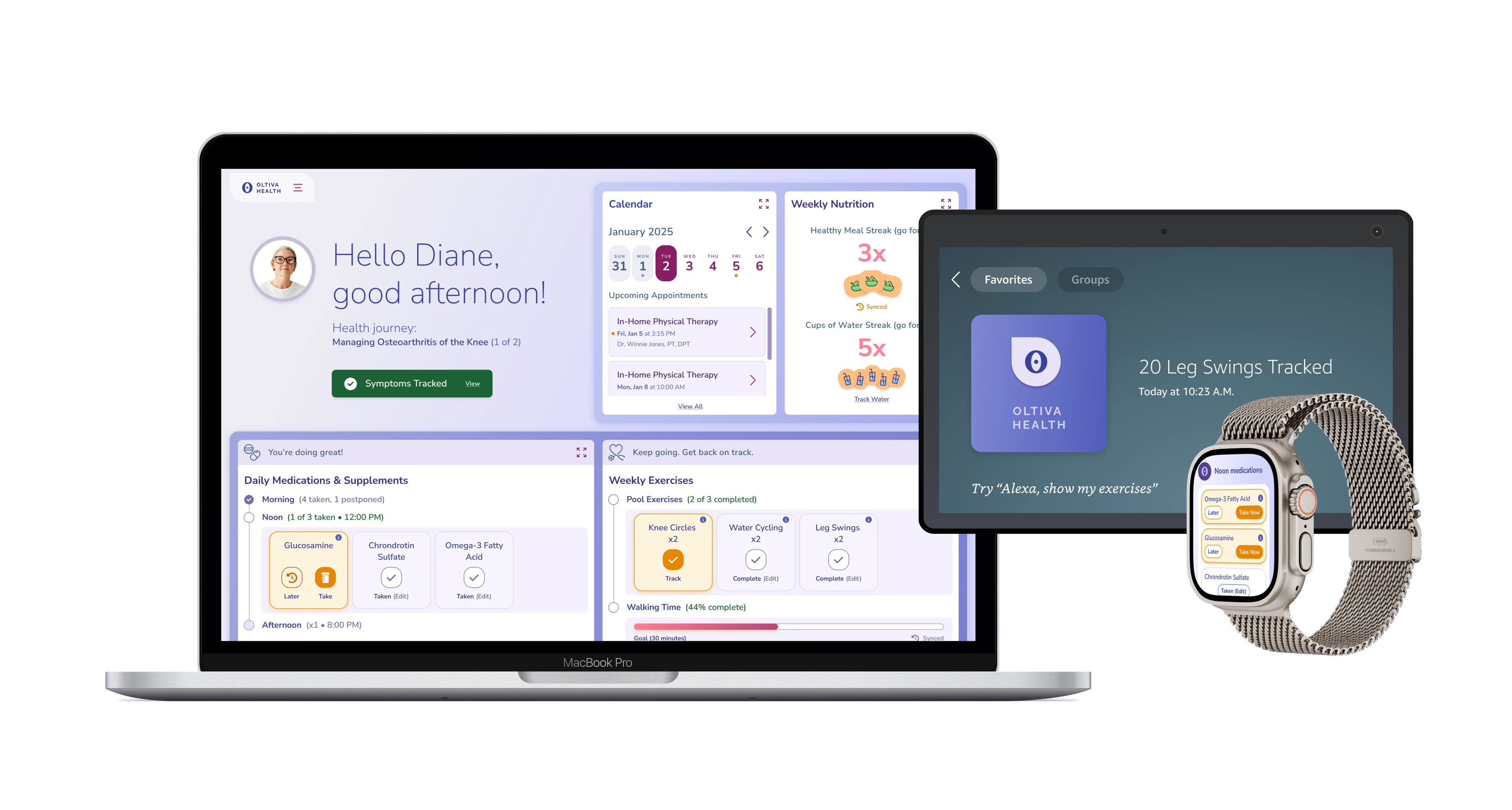
Oltiva Health is a prototype of an AI-assisted patient experience: a portal that helps patients manage a condition day to day, instead of just storing their records. It follows Diane, who is managing knee osteoarthritis on a 90-day plan. She gets medication reminders on her watch, logs exercise by voice, and tracks her pain on desktop, where the portal recommends next steps. When her pain gets worse, she books an earlier visit, and she and her doctor adjust the plan together.

Two clickable flows tell that story in a few key moments:

Patient Flow ↗Plan Management Flow ↗

The Challenge

Most patient portals are a place to log in, book appointments and view test results. They store your records, but they don't help you get better. The goal was to go further: show patients what their data means and what to do next.

Diane is 70 years old, so the screens had to be calm and easy to read, carry a lot of medical detail without overwhelming her, and make AI advice feel trustworthy.
Flow 1: A week of check-ins

Patient Flow ↗

Day 1

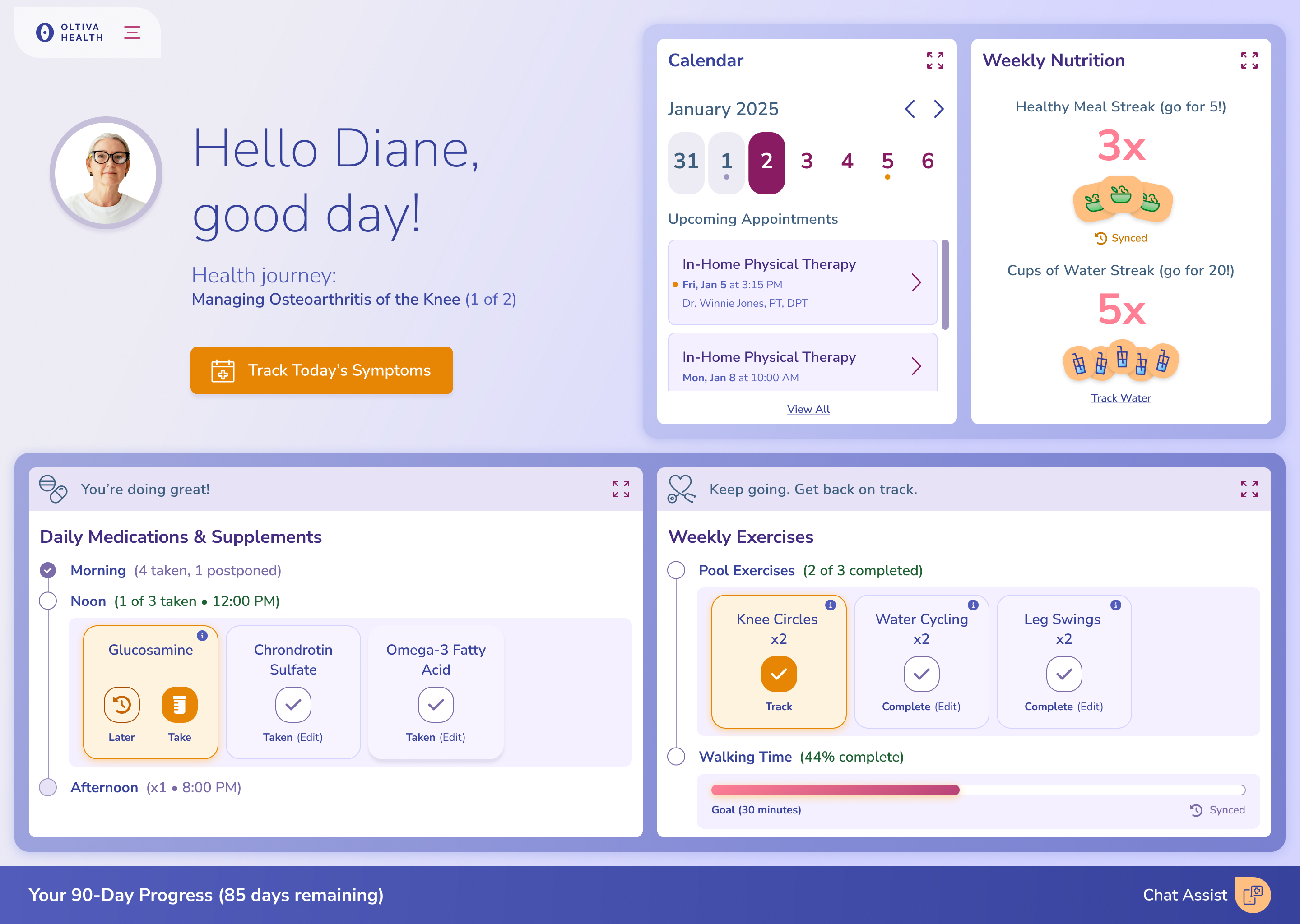
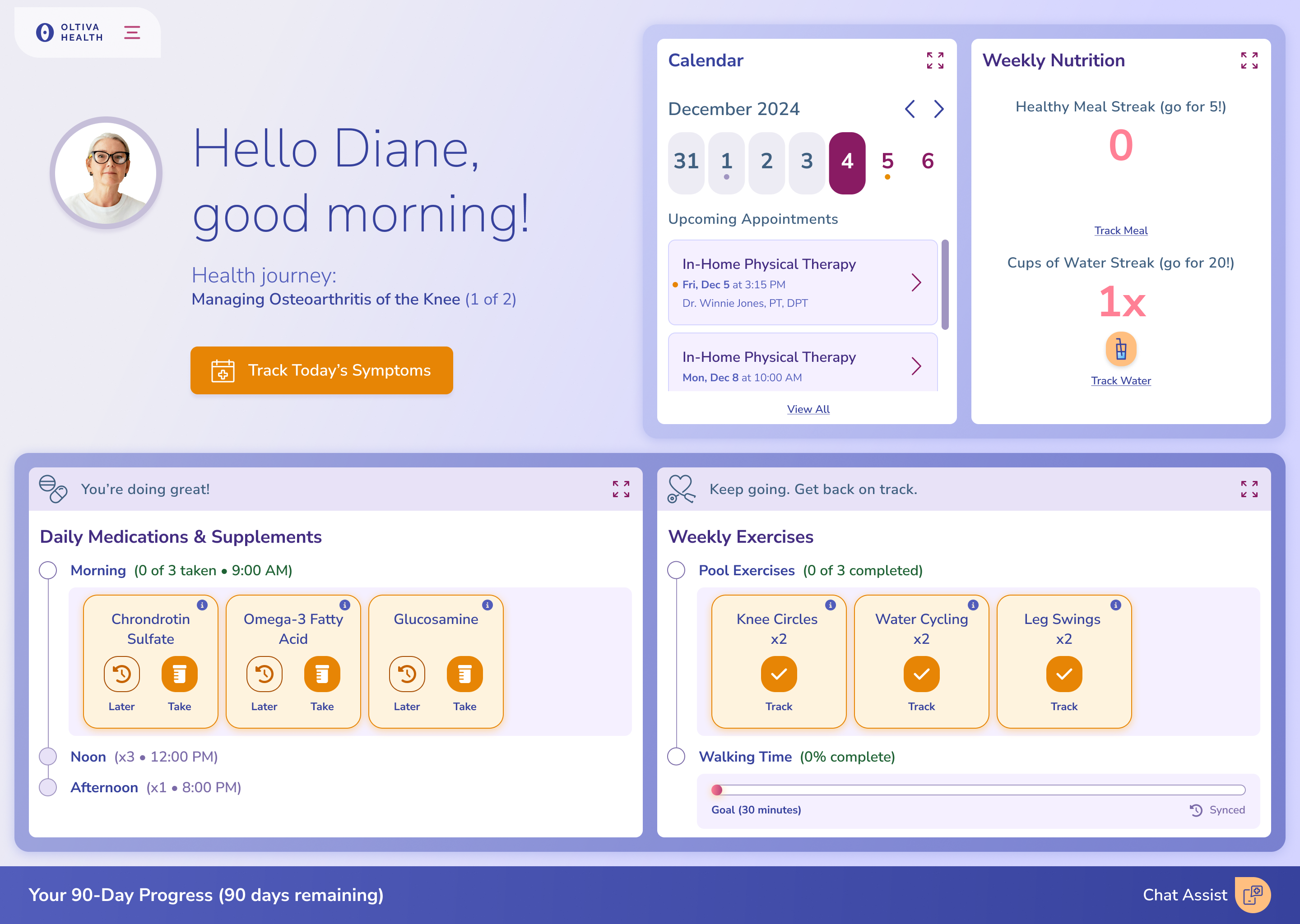
Today's pills and exercises sit together in one checklist, next to her next appointment. Warm lilac keeps it calm instead of clinical, and orange marks what to do.

Concept home: Diane's checklist on day one

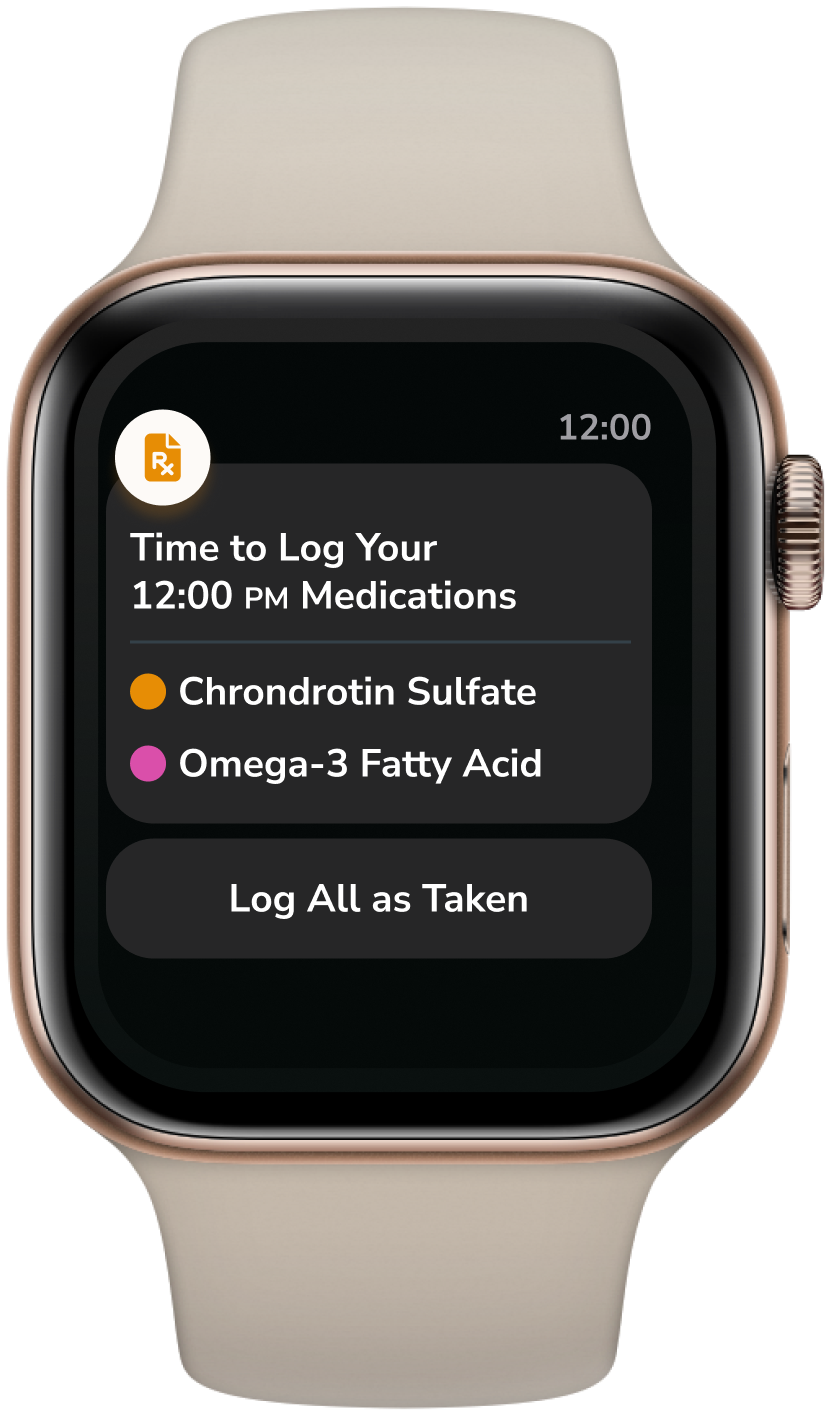
Watch reminders

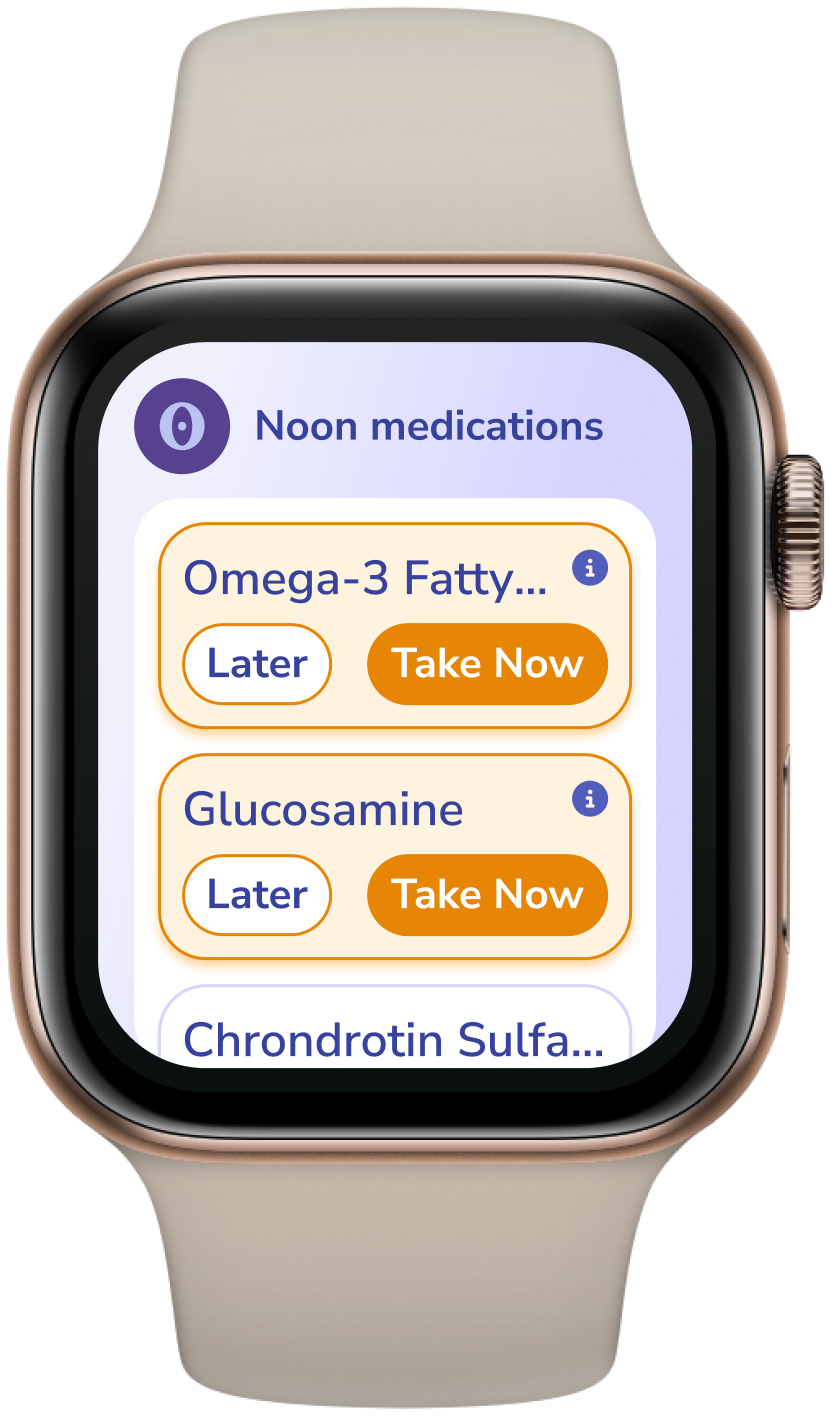
At noon her watch lists the pills due, and she logs them in a few taps.

Watch reminder listing the pills due at noonWatch app showing the noon medications

Voice check-in

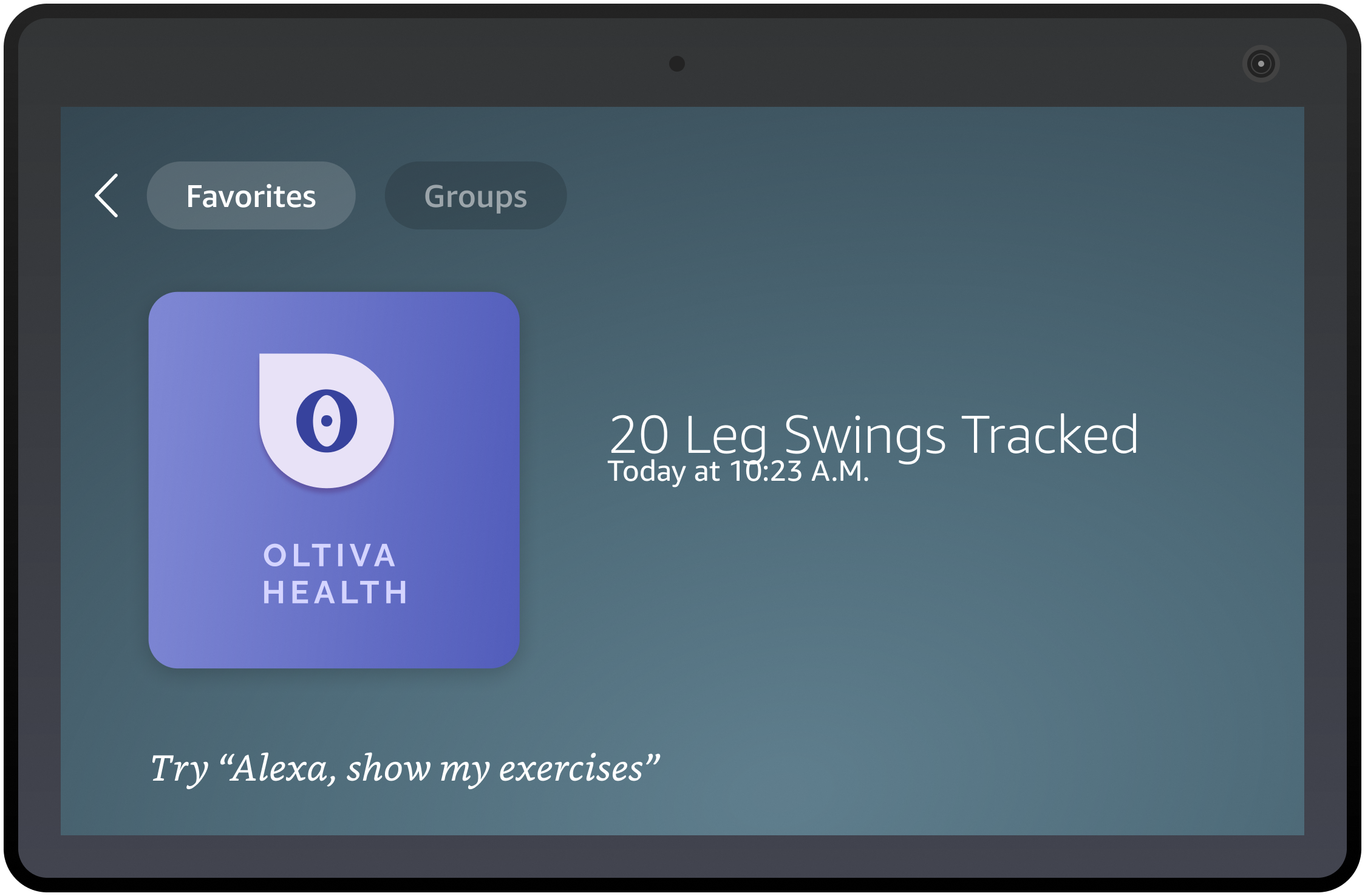
She tells her smart speaker she finished her exercises, and the portal updates.

Smart speaker screen confirming the logged exercise

Later that week

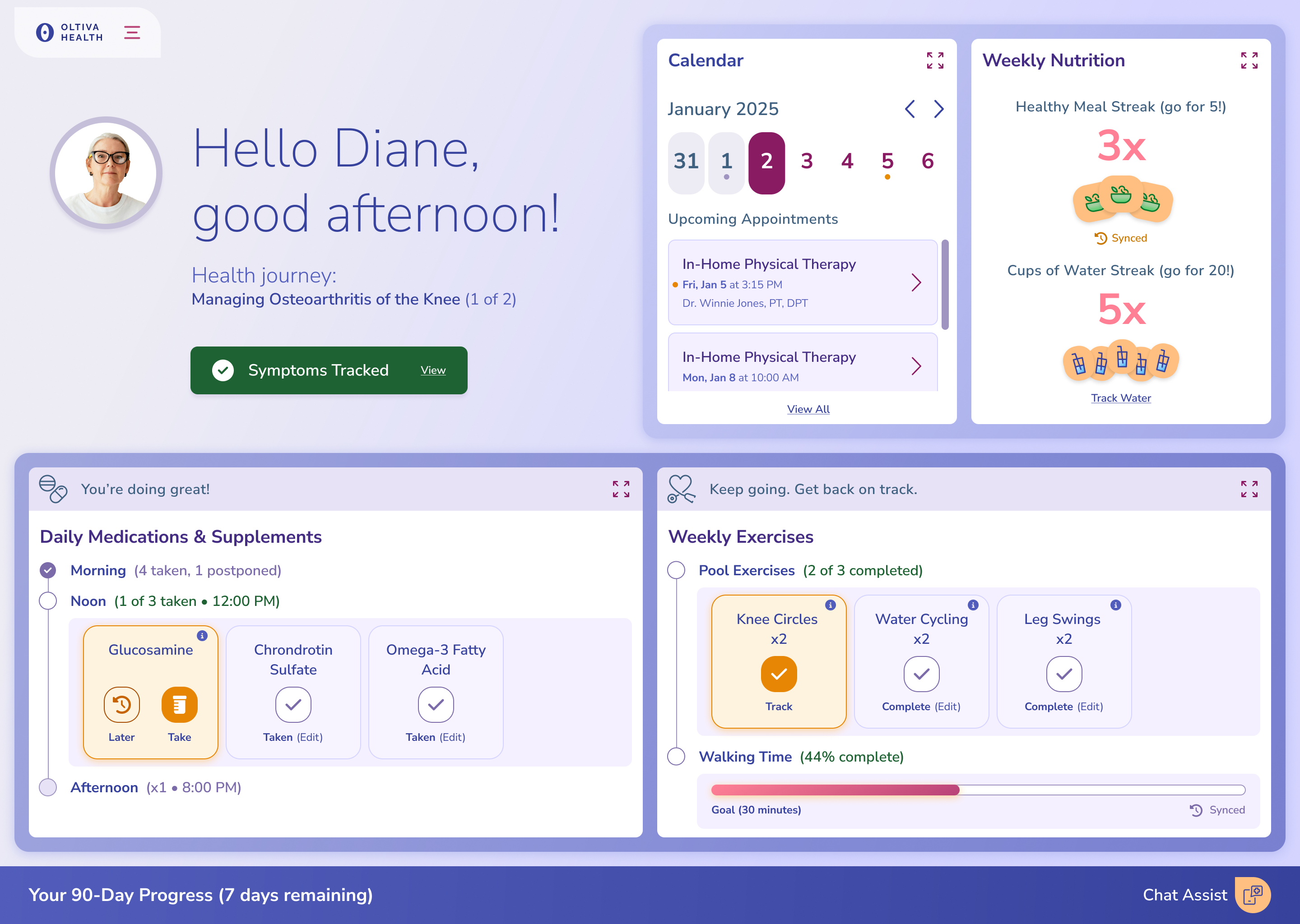
The dashboard reflects everything she's logged so far.

Concept home after a few days of logging

A bad pain day

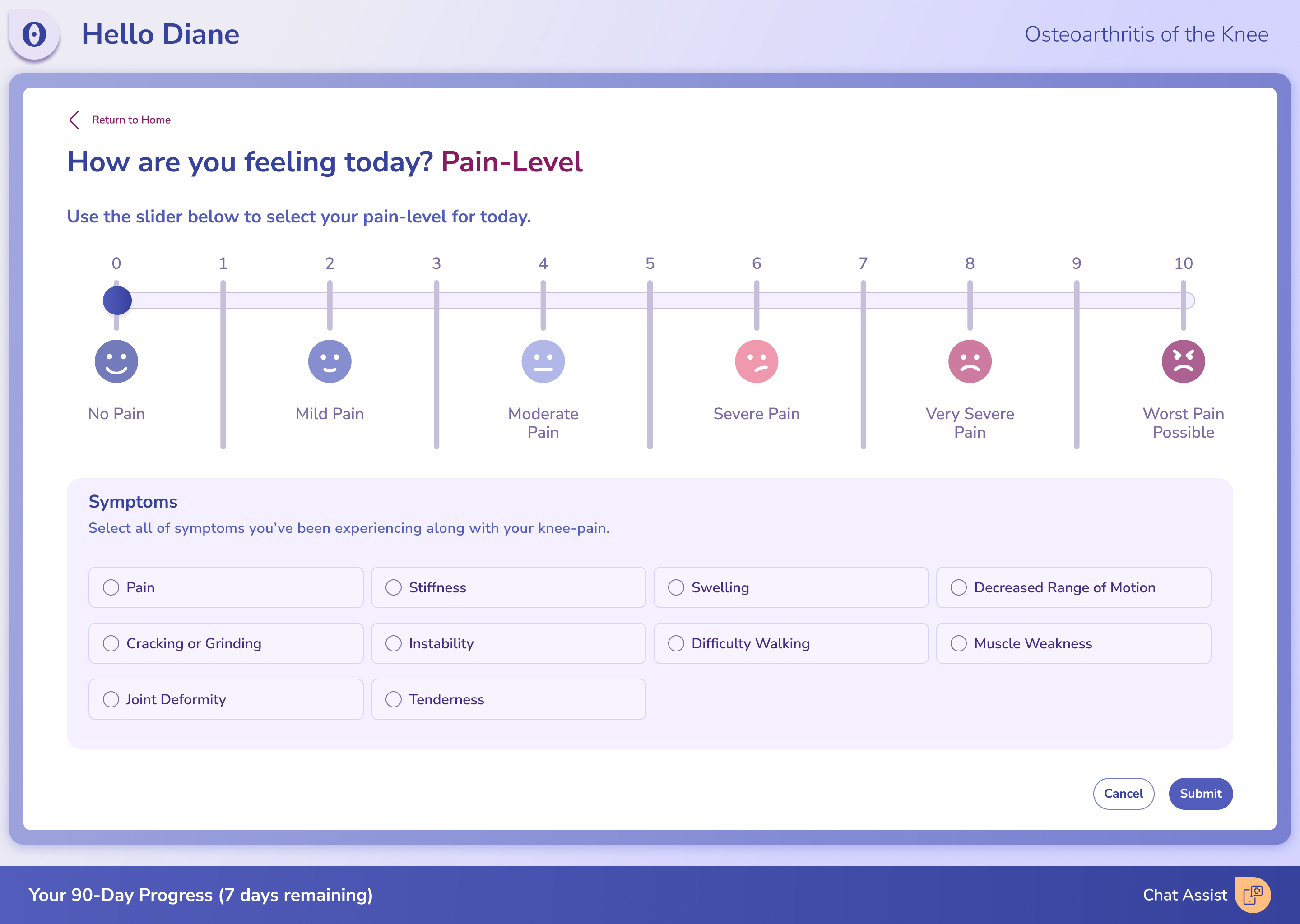
She rates her pain and picks her symptoms.

Pain level question

Results

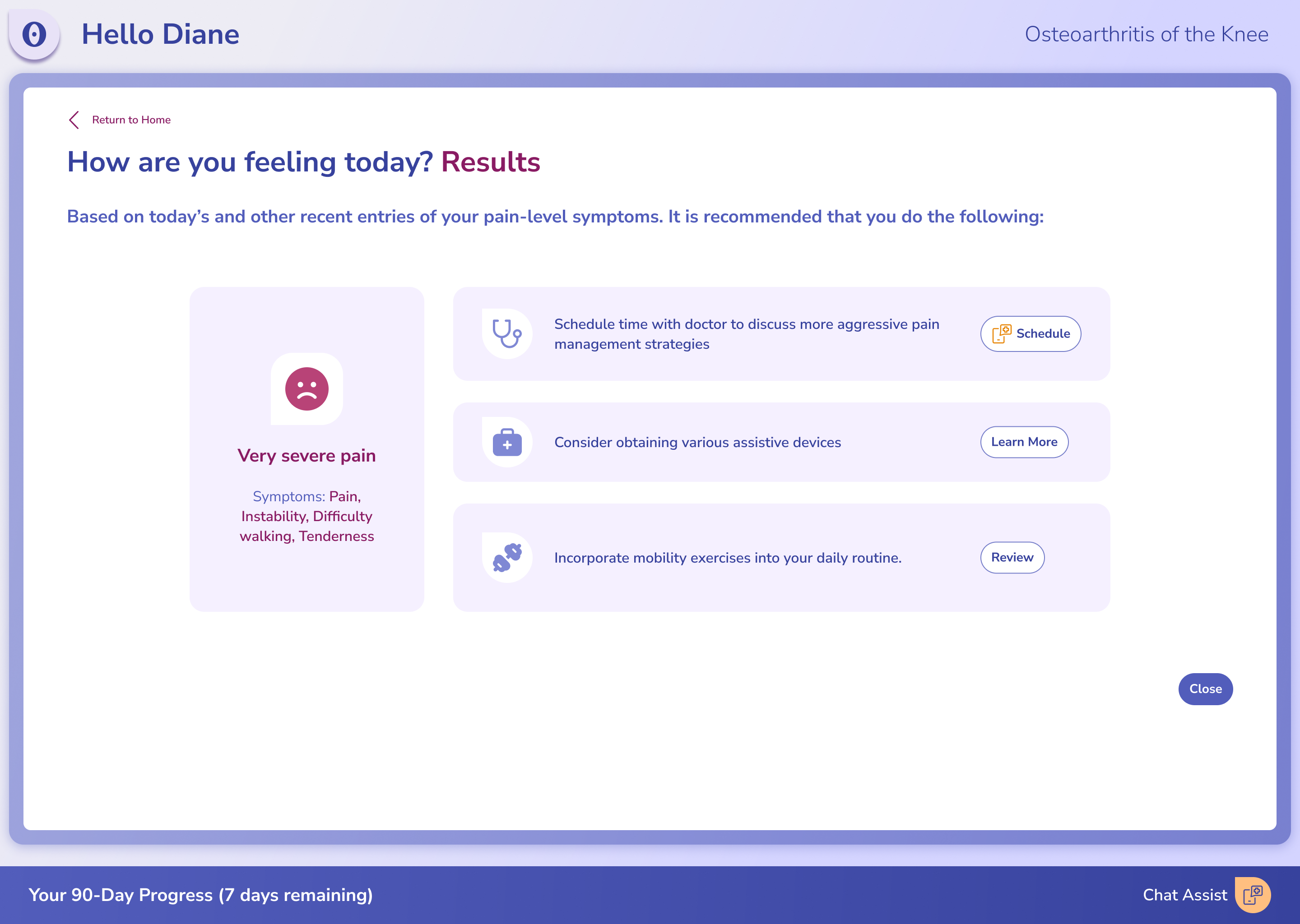
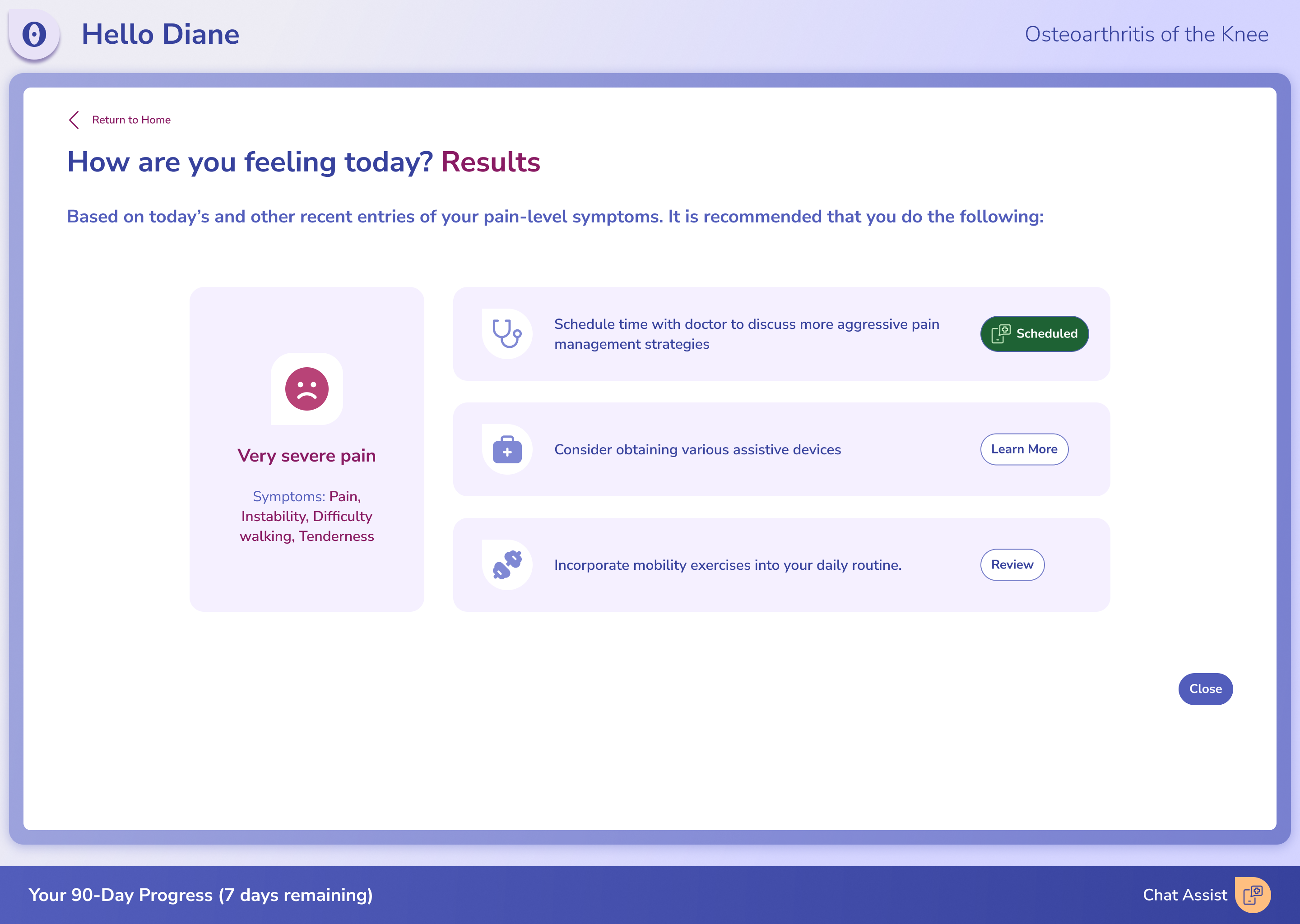
The portal opens with a recap of what she entered, so each of the three next steps is tied to a reason.

Pain results with three next steps

Booking through chat

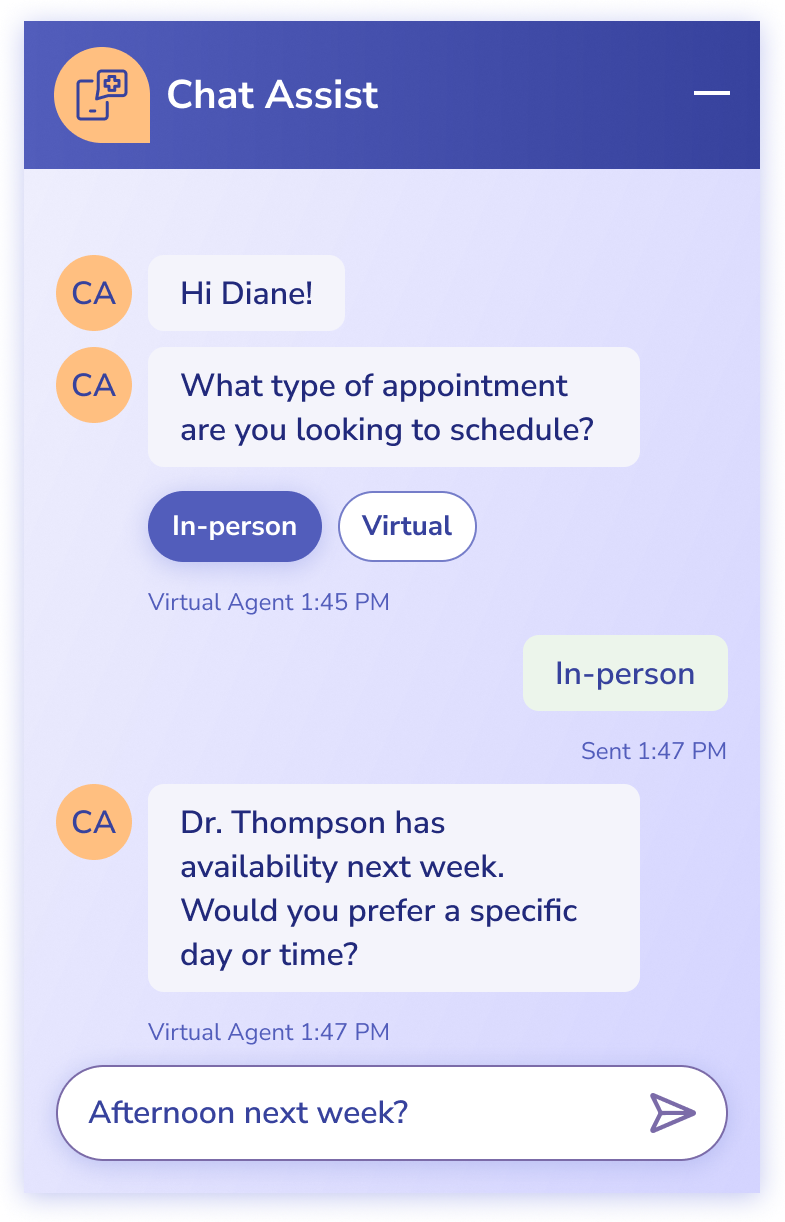
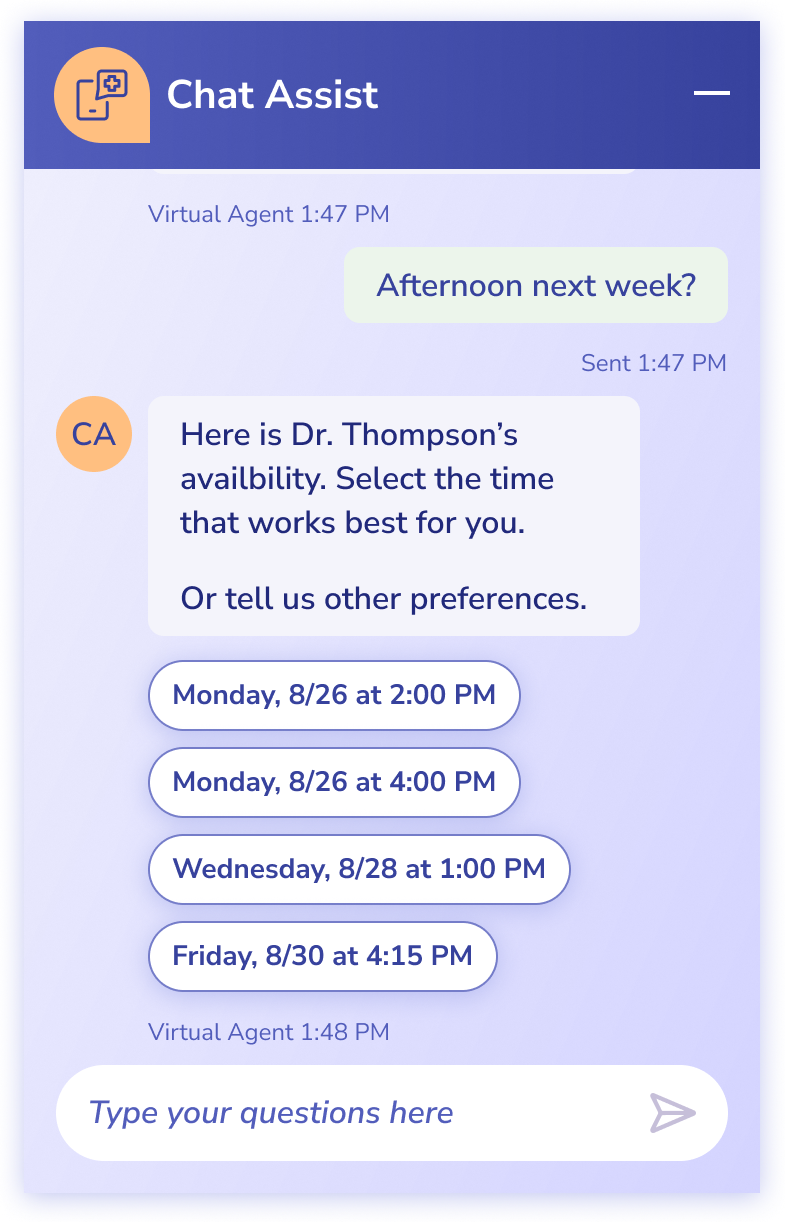
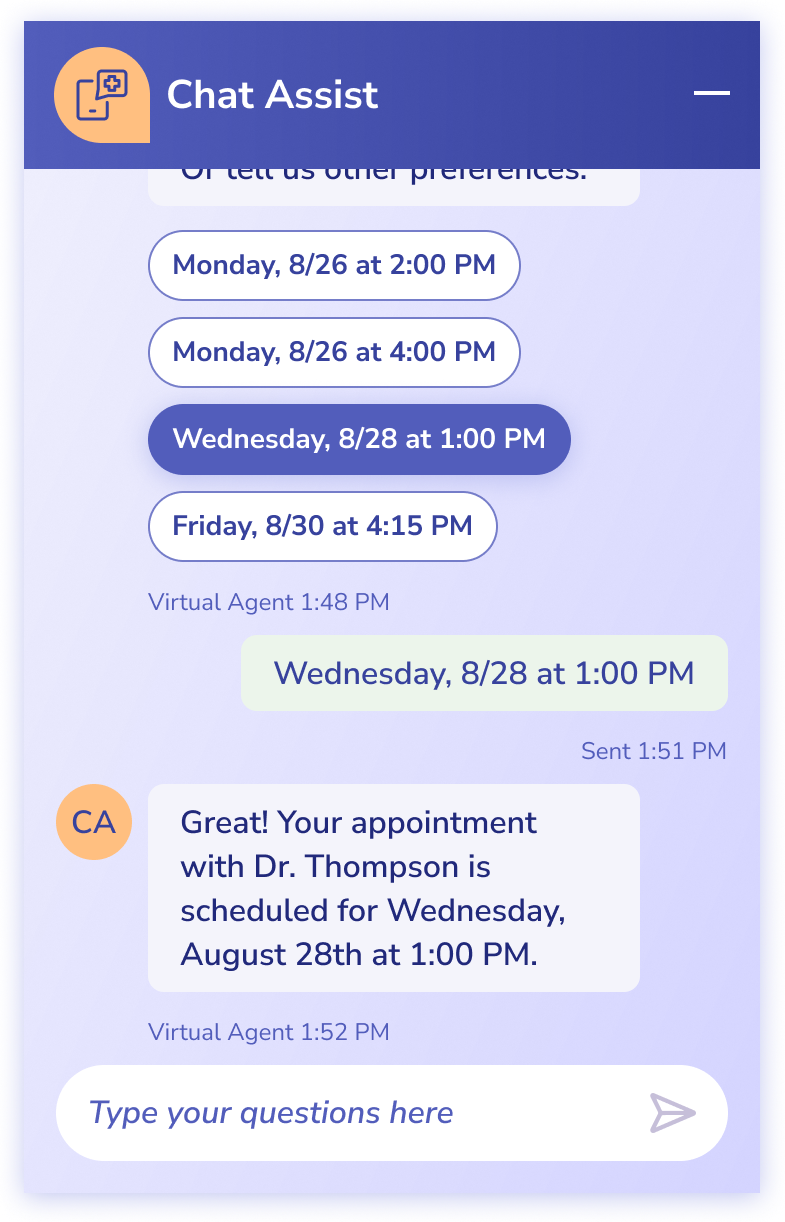
She asks Chat Assist for an earlier visit.

Chat Assist asking what type of appointmentChat Assist offering appointment timesChat Assist confirming the appointment

Visit booked, exercise suggested

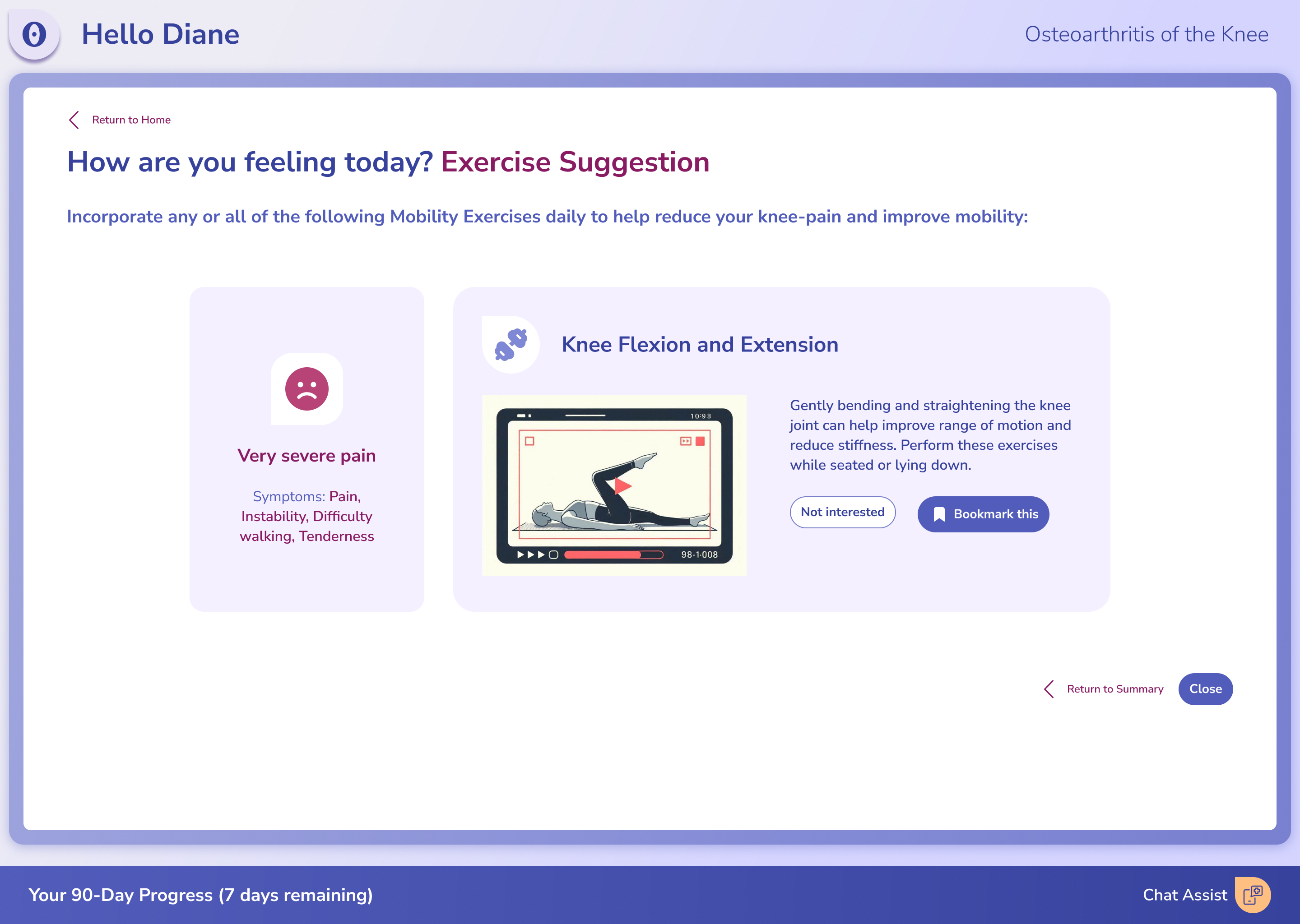
Her new appointment shows on the results, and she opens an AI-recommended exercise, labeled as AI-generated and rated by physicians.

Pain results with the new appointment scheduledAI-recommended exercise, labeled and rated by physicians

Logged

Her dashboard updates with the day's check-in.

Concept home after the check-in is logged

Flow 2: The follow-up visit

Plan Management Flow ↗

Progress review

Diane and her doctor compare plan goals to her actual progress. Missed goals show as "get back on track," not a red X.

Progress dashboard comparing plan goals to progress

The details

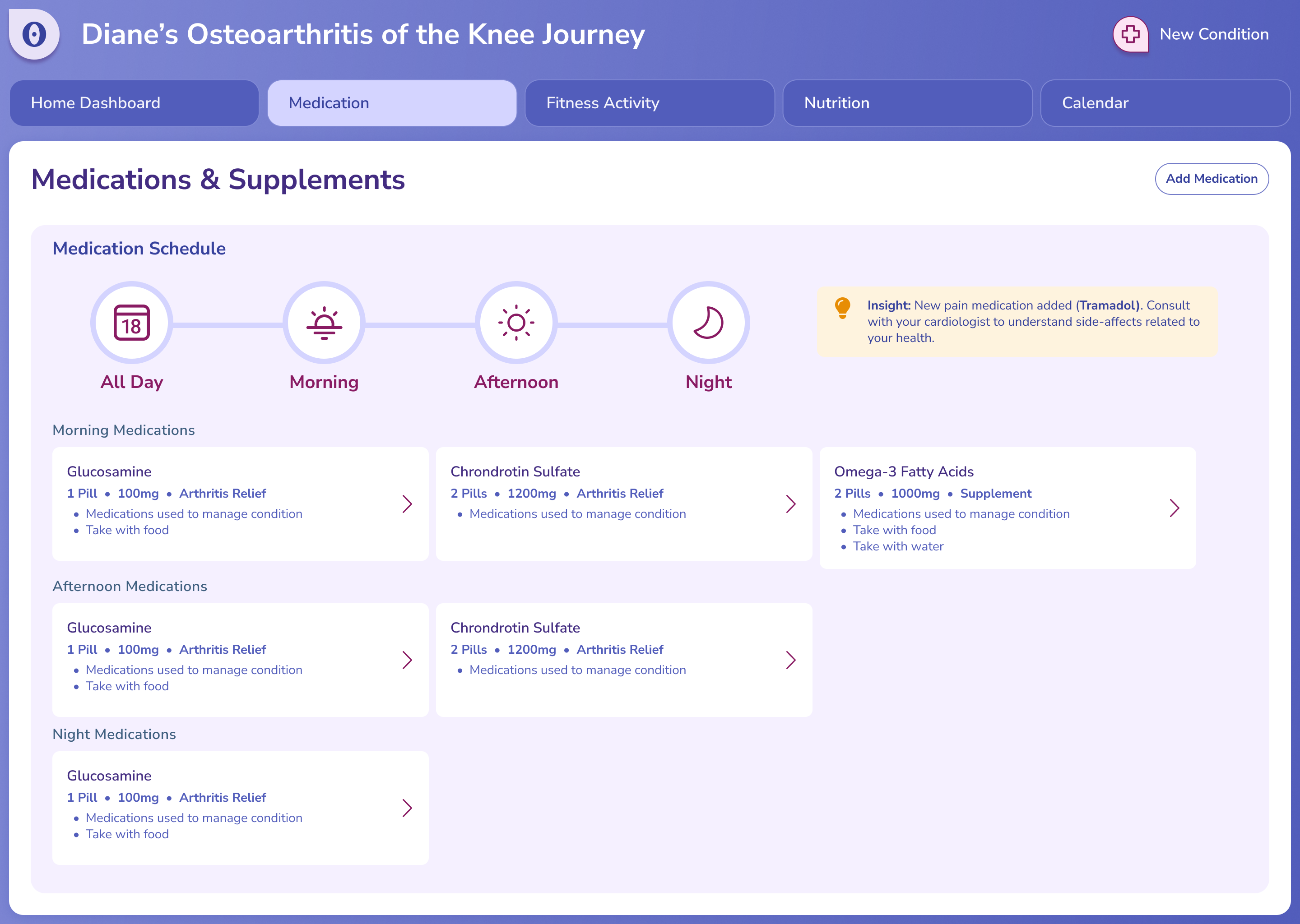
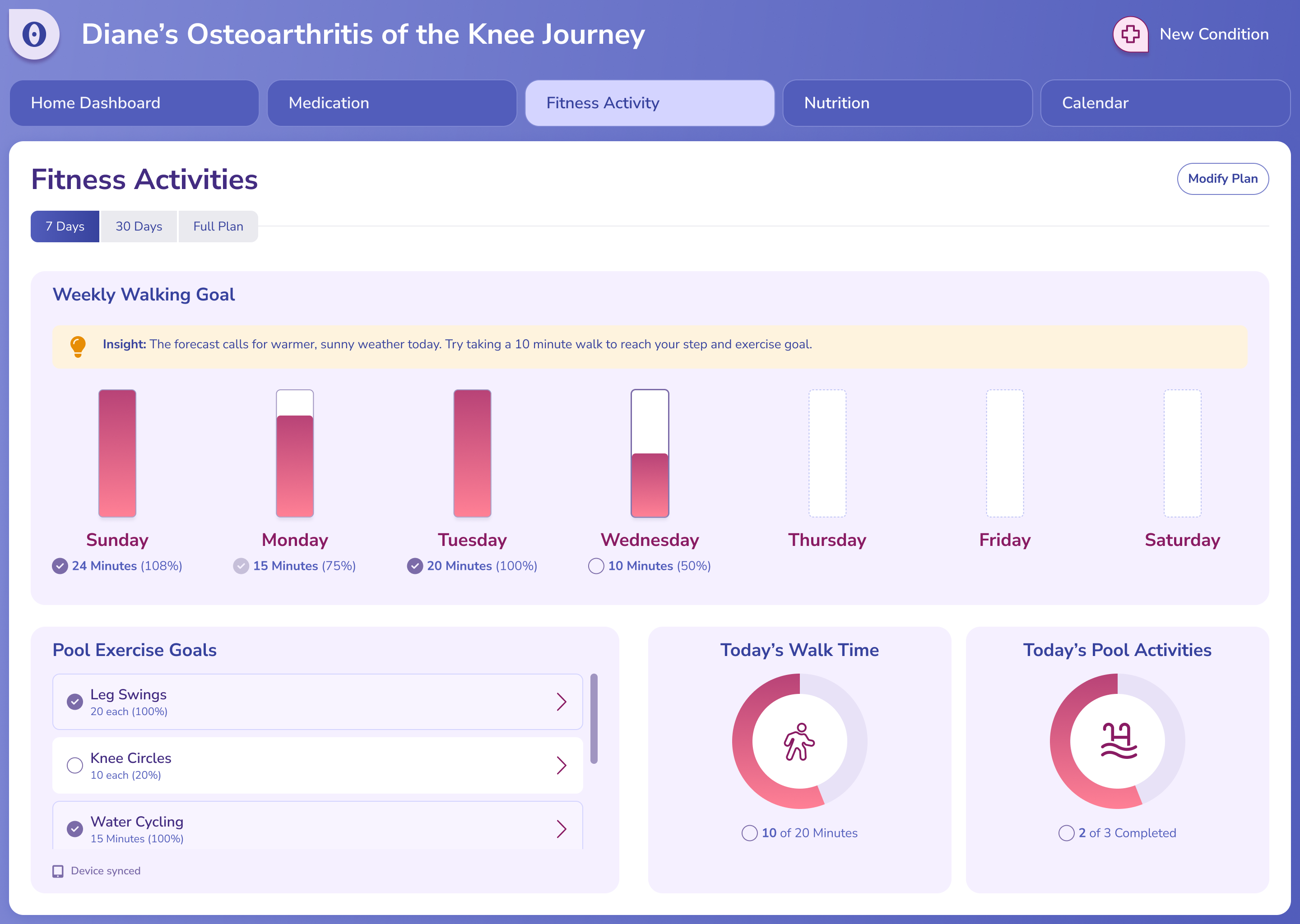
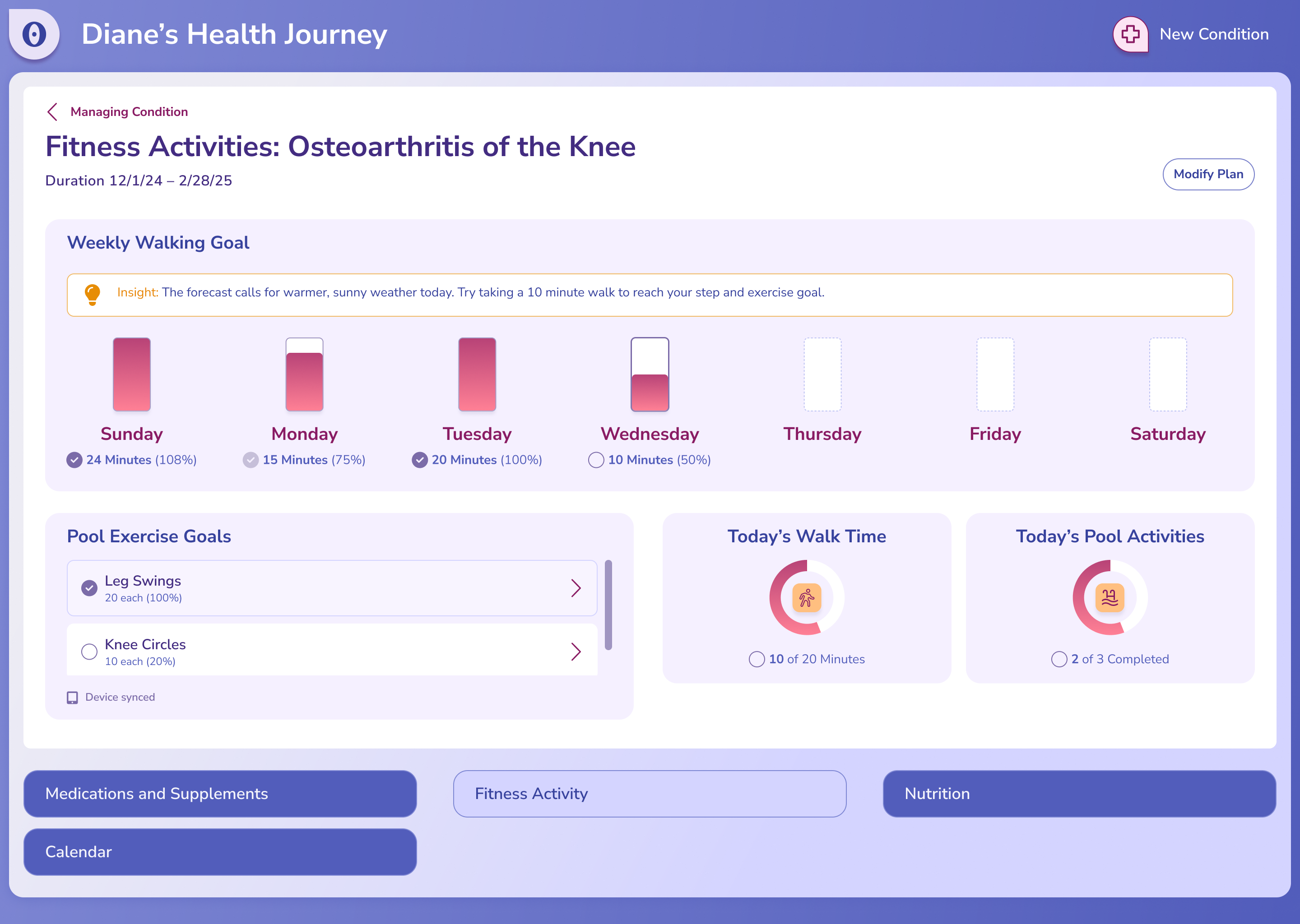
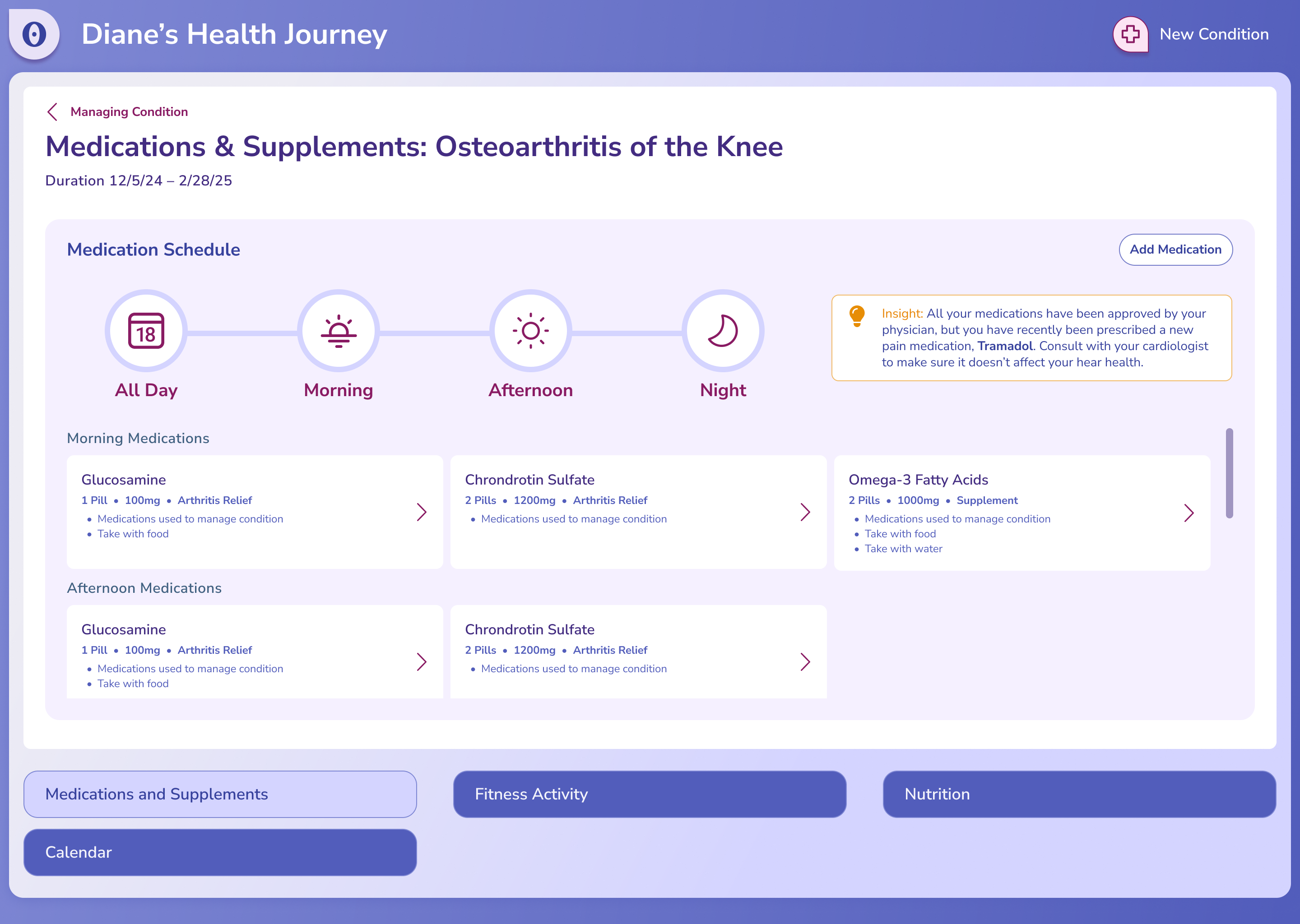
They look closer at her medications and her fitness activities.

Progress dashboard: medications and supplementsProgress dashboard: fitness activities

Adjusting the plan

Edit mode lets them change the plan together.

Plan dashboard in edit mode: fitness activitiesPlan dashboard in edit mode: medications and supplements

Bookmarks

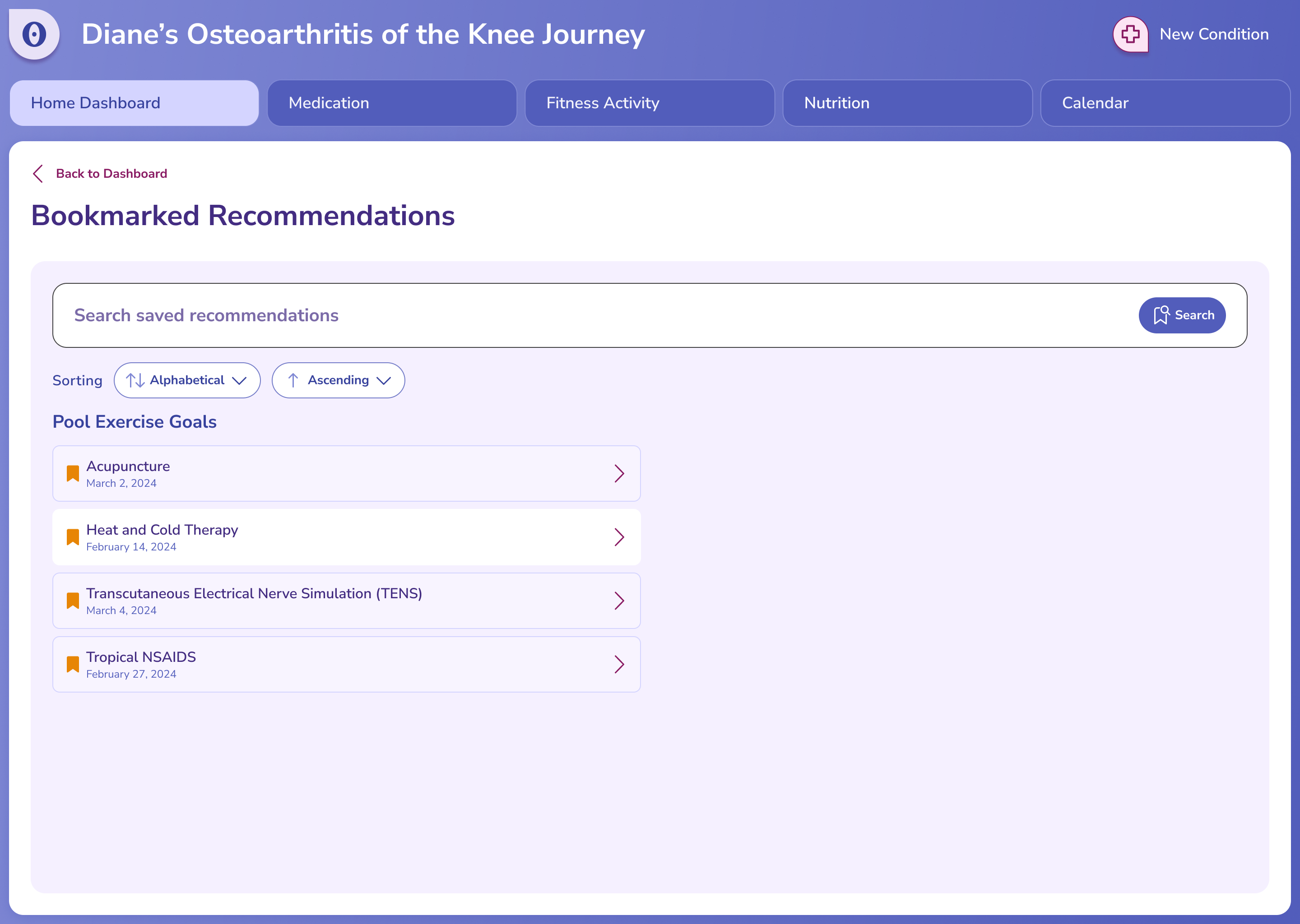
The exercises she saved are all in one place.

Bookmarked recommendations

Outcome

The finished prototype gave our sellers a concrete healthcare demo to show clients. Next, I'd test the dashboard with older adults and add a short onboarding tour that explains each part of the dashboard.